Create a channel
Set up a customer payment channel for the supported asset and network.
PAYMENT CHANNELS
Assign a crypto deposit address to a customer for repeat payments. Payment channels help connect incoming funds to the right customer account.
Payment 01 · Payment 02 · Payment 03
Payment 01 · Payment 02 · Payment 03
Illustrative customer channels. Asset and network specific.
HOW IT WORKS
Set up a customer payment channel for the supported asset and network.
Show the assigned deposit details within your customer account experience.
Track incoming transactions through the channel and update your customer records.
CHANNEL MANAGEMENT
Keep reusable addresses organised and follow the deposits they receive.
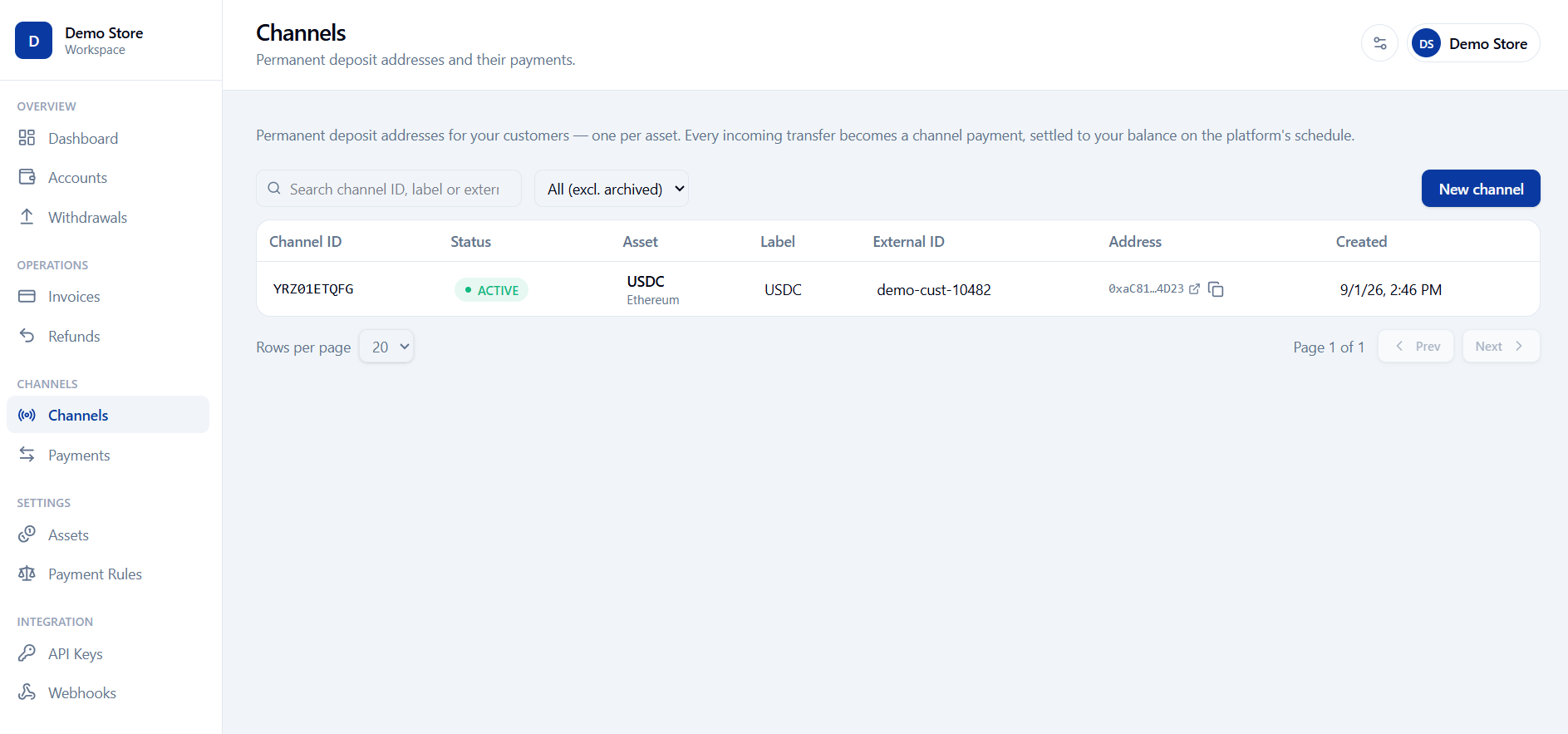
Keep each reusable deposit address connected to a customer reference and its supported asset.
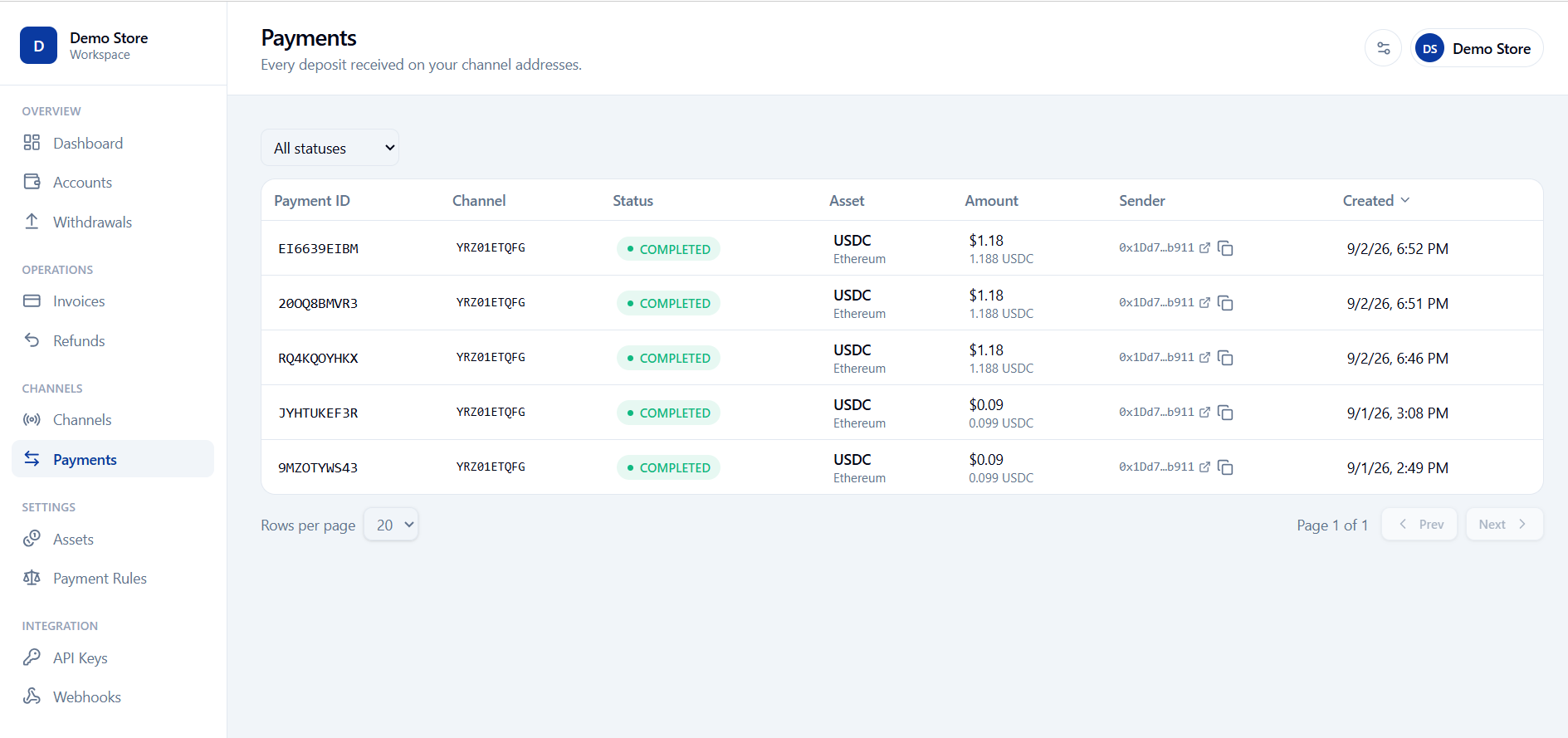
Review incoming transfers with their channel, status, asset and amount.
Actual product interface. Demo data shown; amounts and fees are examples.
ACCEPT WITH Cosmir Digital
A channel connects repeat deposits to an existing account journey.
Associate a payment destination with the customer it belongs to.
Use the assigned channel again for supported payments on the configured network.
Connect channel creation and transaction tracking to your own platform.
PRODUCT QUESTIONS
Checkout is tied to a purchase flow. A channel provides a reusable deposit destination for a customer, making it suited to ongoing account funding.
No. Deposit details belong to the configured asset and network. Your customer interface should display those details clearly.
Yes. Optional conversion and bank settlement can form part of your business setup, subject to supported currencies and eligibility.
YOUR NEXT MOVE